
Switch from Ready Player Me to Avatar SDK — fast, familiar, production-ready
Ready Player Me is sunsetting on January 31, 2026. If you rely on RPM for avatar creation, Avatar SDK is a drop-in replacement that preserves your user experience and keeps your products running.
What we provide
- Temporary migration discounts for teams moving now
- Familiar integration flow – MetaPerson Creator embeddable via iframe + JS API
- Engine-ready workflows for Web, Unity, and Unreal
- Highly configurable exports – LODs, formats (FBX/GLB), and texture resolutions
- Configurable avatar styles from cartoon to photorealistic.
- Advanced generation options: REST API, Unity plugin, Offline executable.
- Real-time voice-driven facial animations
- Hands-on migration support with sample projects and integration guidance
Simple integration steps
- Embed MetaPerson Creator into your application and customize it for your use case
- Create an avatar and configure its appearance in real time
- Export the avatar and import it directly into your app or game engine
Over the years, we have helped many products migrate—either replacing RPM with Avatar SDK or running the two side by side.
Ready to move? Contact us at support@avatarsdk.com ASAP! We have a lot of requests now that are processed on the first-come-first served basis!
MetaPerson Creator updates and the partnership with DeepMotion
We have a lot of news about Avatar SDK: the release of new assets and facial blends, samples and open source code for the MetaPerson Creator, and the partnership with DeepMotion! Let’s dive in!
We have partnered with DeepMotion to provide our customers with a great experience creating animations for the MetaPerson avatars! We have released tutorials for Unity and Unreal Engine on how to use DeepMotion’s Animate3D and SayMotion to make avatars walk, run, and dance! Additionally, we’ve added comprehensive documentation to support your learning journey.
Sample Facial Animations
Explore new facial animations based on our mobile_51 blendshape set. Now, you can experiment with facial expressions and animations directly in MetaPerson Creator—not just skeletal animations!
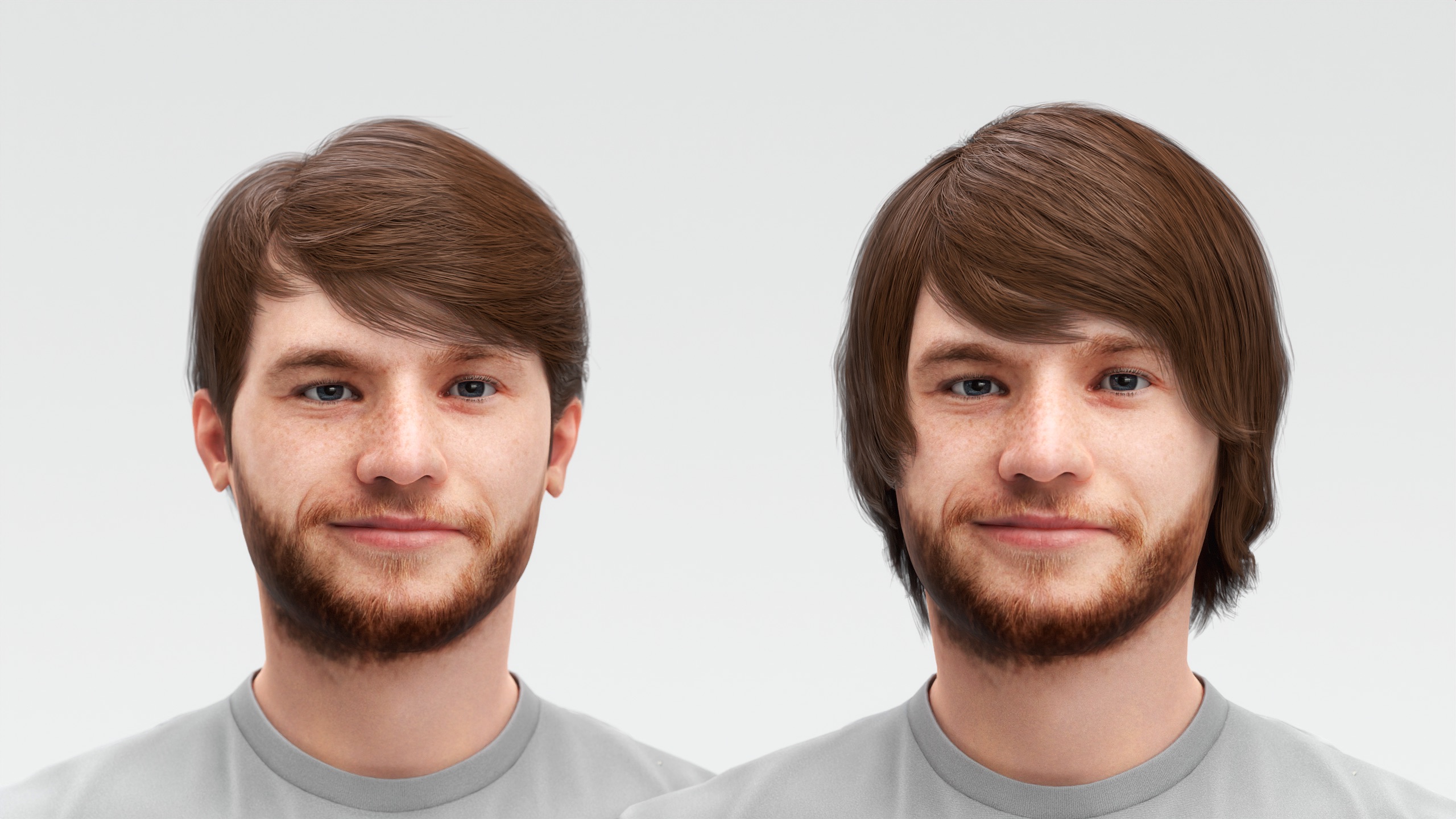
New Hairstyles Added
More styles, more possibilities! Check out the latest additions to our hairstyle collection.
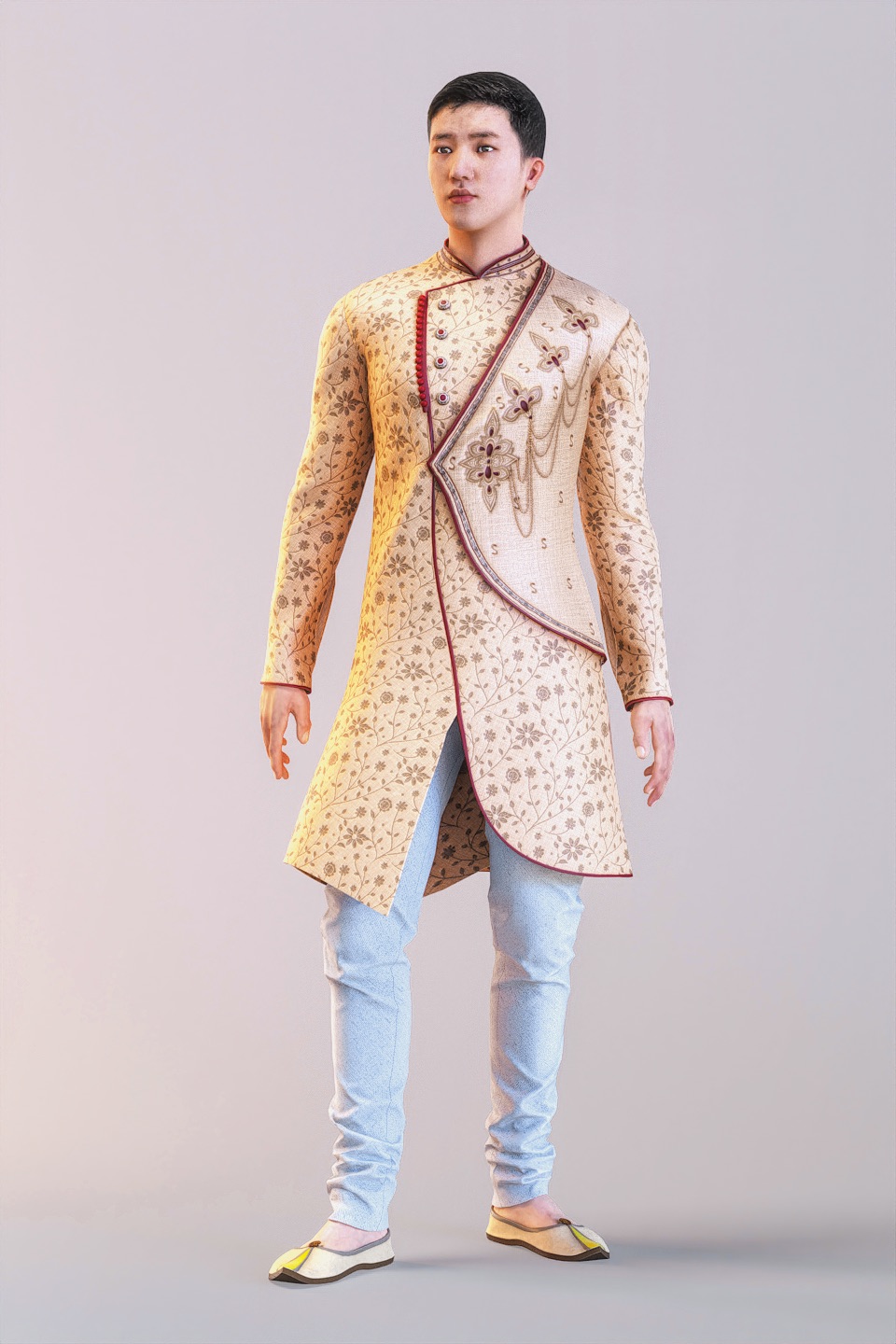
Expanded National Outfits
We’ve added new Indian male outfits to our growing library of national costumes. The wardrobe for MetaPerson avatars is getting better every week, thanks to the artists working with us! Got any ideas for what outfits we should include next? We’d love to hear from you—share your suggestions with us!
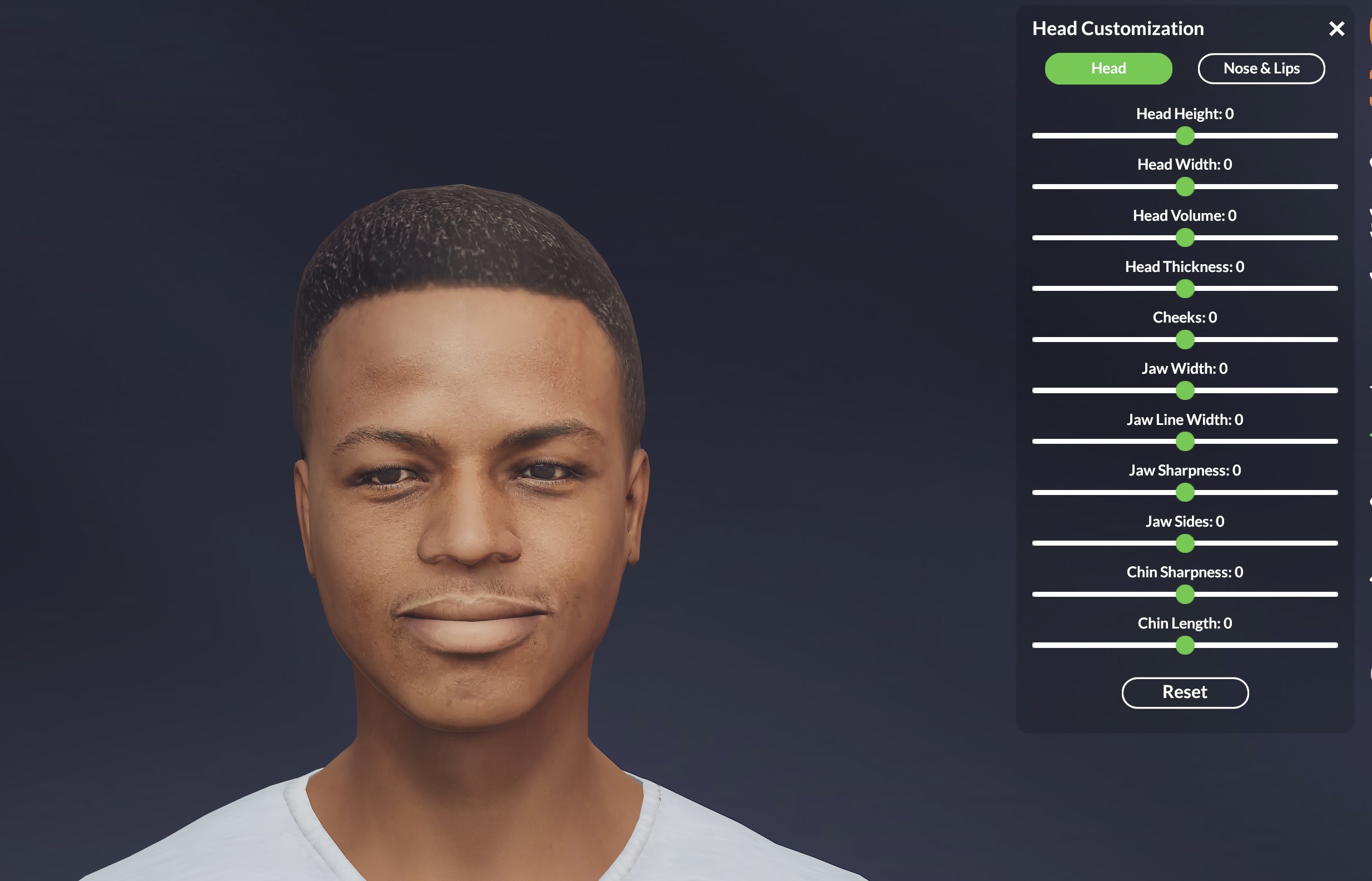
More Facial Blendshapes
Customize avatars like never before! We’ve added a significant number of additional blendshapes, making it easier to fine-tune head and facial features after avatar creation.
Updated MetaPerson Loader for Unity
We’ve enhanced the MetaPerson Loader for Unity, introducing a new Point Cloud Loading Sample. This tool demonstrates how to efficiently reduce network and storage usage when showcasing multiple MetaPerson avatars in one scene. Curious? Check it out here: MetaPerson Point Cloud Loading Sample. This concept is adaptable to other graphic engines like Unreal Engine or WebGL!
MetaPerson Creator for Mobile
We’re excited to announce an open-source version of this plugin, which is now available for our Enterprise clients. You can access the source code to use it as a starting point for your Three.js projects or leverage it for white-label solutions tailored to your needs.
These updates are crafted to enhance your experience, making MetaPerson Creator even more powerful, versatile, and seamless to integrate into your projects. Are you ready to dive in? Learn about MetaPerson avatars, watch tutorials, or create your own avatar by clicking the button below!
MetaPerson: Lipsync in Browser, Enhanced Hand Movements, Jewelry Assets & More!
We are excited to introduce the latest Avatar SDK update, packed with features designed to improve your avatar creation experience and enhance project integration. Here’s what’s new:
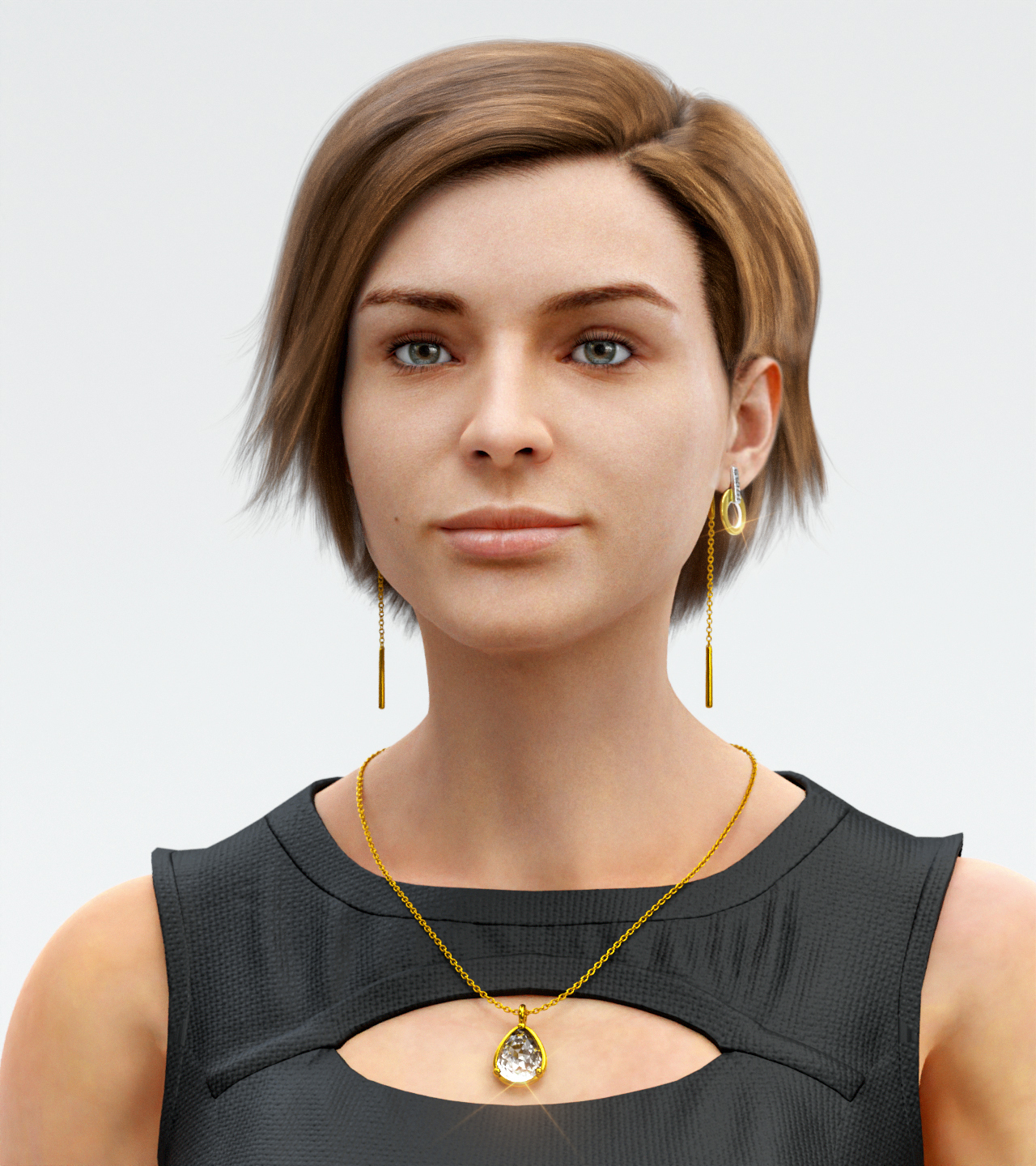
Jewelry Assets for MetaPerson Creator
You can now add jewelry assets to your avatars in MetaPerson Creator! We’ve included a variety of earrings and necklaces to demonstrate how different asset types are supported. If you need help adding specific asset types, please send us a request.
New Lipsync Feature for MetaPerson Creator
We’ve added a lipsync demonstration directly into the MetaPerson Creator for the desktop version. Now, you can try out real-time lipsyncing using your own voice in the browser! All you need is a microphone to start testing this feature.
Continuing the theme of lipsync, we’ve published new sample projects and YouTube tutorials for using the Oculus Lipsync for Unity and Unreal Engine.
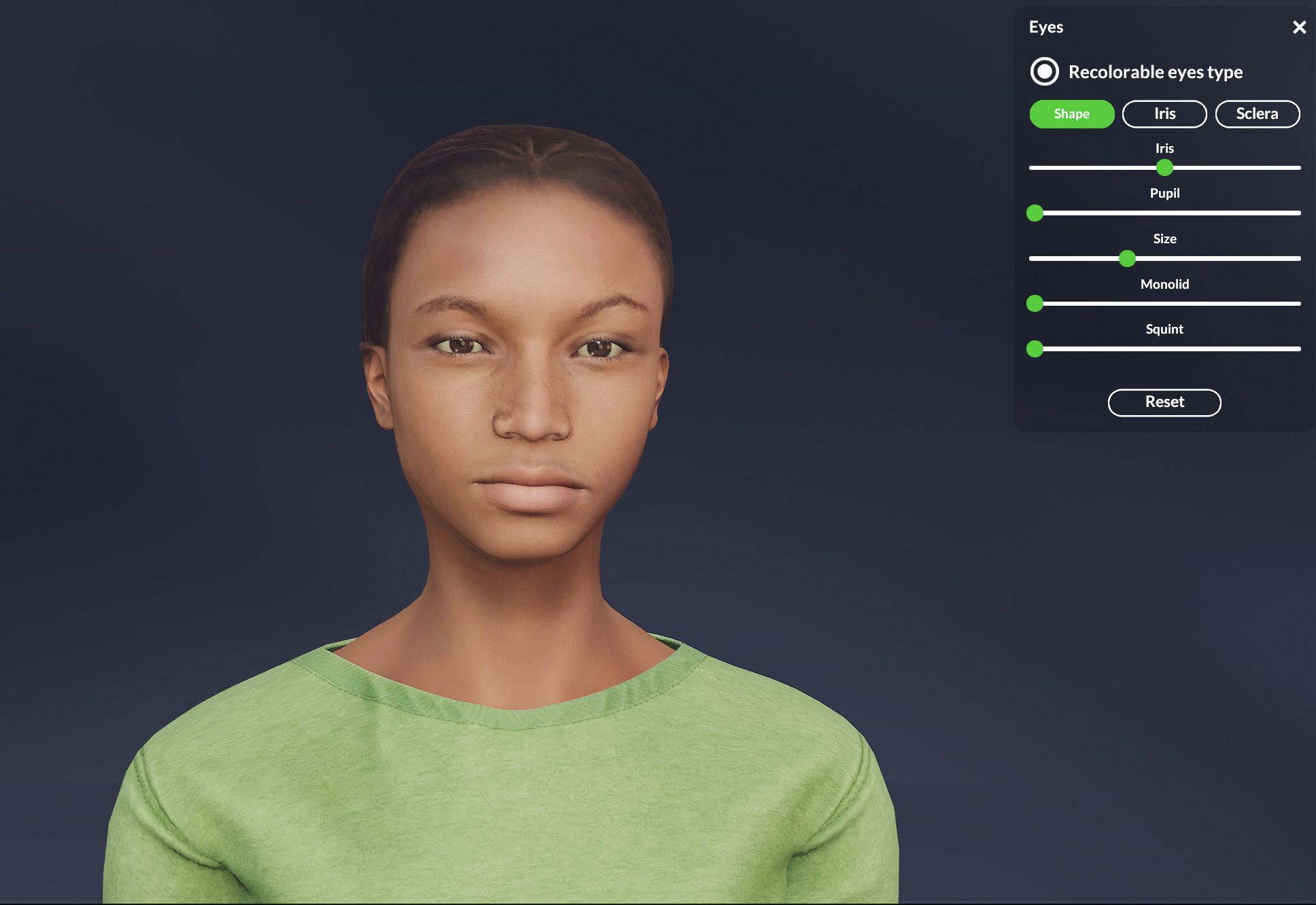
New Recolorable Eye Model
We’ve introduced a brand-new recolorable eye model for avatars, giving you even more control over your avatar’s appearance. You can now customize the iris and pupil size and recolor both the iris and sclera. This is another step toward providing greater control over the look and personality of your avatars.
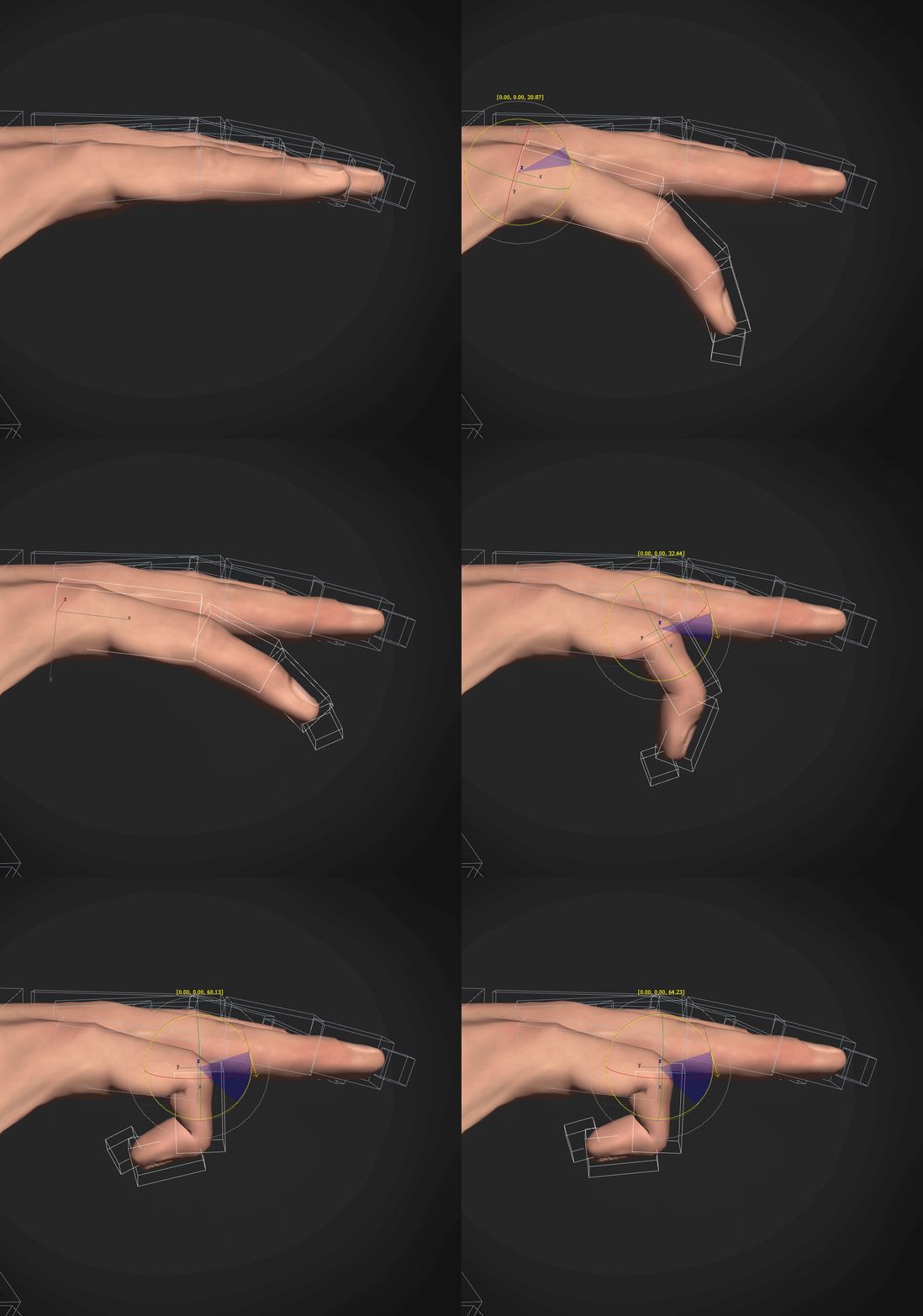
Improved Hand Movement for VR Projects
We’ve updated skinning for the hands to ensure better quality and smoother hand movements in VR environments. If you’re working on a VR project where users control their avatar’s hand gestures via controllers, this update will provide more precise and realistic hand movements.
Mobile Version Updates
The mobile version of MetaPerson Creator now supports the latest outfits and includes recent fixes for age variations that were previously available only on the desktop version. This update brings even more consistency and versatility to avatar creation on the go.
These updates bring more customization, improved functionality, and exciting new features to Avatar SDK, helping you create even more dynamic and personalized avatars. To learn more about MetaPerson avatars, you can start here: https://avatarsdk.com/metaperson-creator/, watch video tutorials, or create your own avatar by clicking the button below! Enjoy your avatar!